A Game Boy game as an instrument in FL Studio
With swf2DAW a Game Boy game runs as an instrument in FL Studio. You play it with your MIDI keyboard, and every sound channel gets its own mixer track.
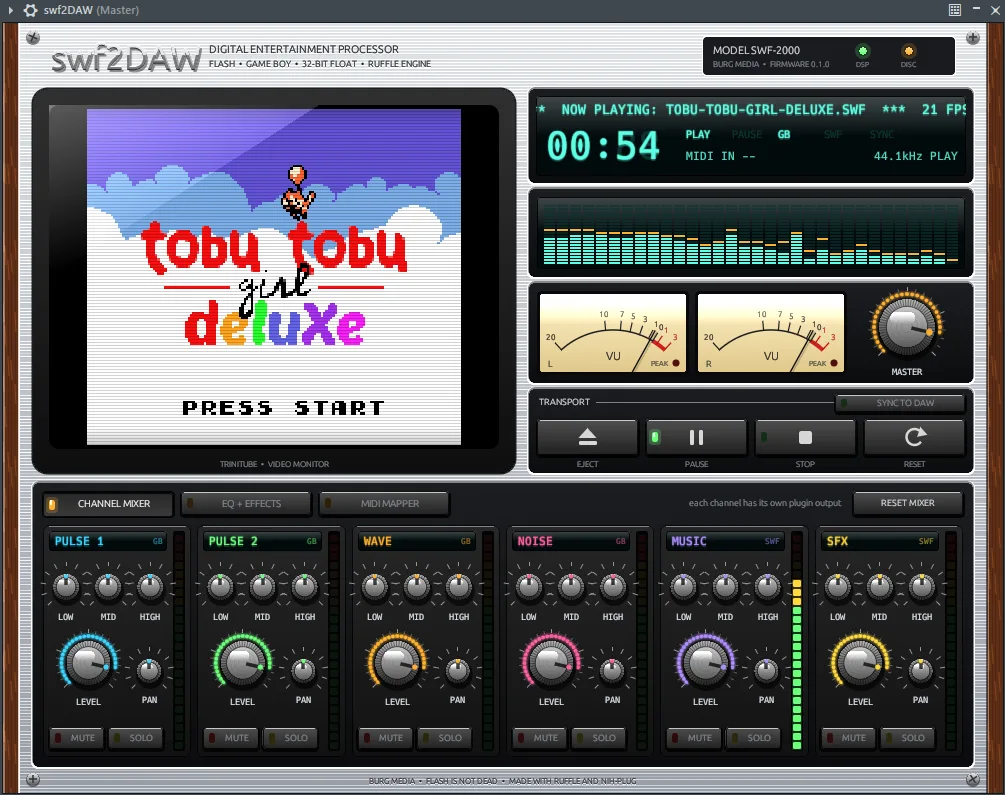
Tobu Tobu Girl Deluxe is jumping up through the clouds here, inside FL Studio. You steer her with a MIDI keyboard, and the game's music arrives on an ordinary mixer track. That is swf2DAW, a free plugin of ours that plays Flash and Game Boy games as an instrument in your DAW.
An instrument, not a converter
swf2DAW does not convert anything. It is a VST3 and CLAP plugin with a Flash player inside: Ruffle, the open-source replacement for Flash Player. You load a .swf and the game runs live in the plugin window.
Game Boy games get in through gb2swf, our tool that turns a Game Boy ROM into a SWF. You do that step once. After that swf2DAW plays the file like any other Flash game.
Anyone who wanted to record game audio before ran the game in a browser or emulator and caught the sound through a loopback, with latency and everything on one track. Here the game itself sits in the DAW, and its sound comes out of the plugin at your project's sample rate, in 32-bit float.
Installing and loading a game
- Put
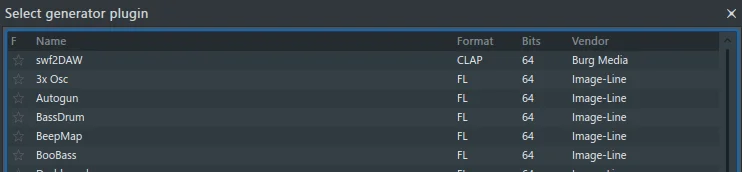
swf2DAW.clapinC:\Program Files\Common Files\CLAP\, orswf2DAW.vst3inC:\Program Files\Common Files\VST3\. - In FL Studio go to Options > Manage plugins > Find more plugins. swf2DAW then shows up in the list, with Burg Media as the vendor.
- Add the plugin to a channel with the plus button in the Channel rack.
- Click EJECT and pick a .swf. The display shows NOW PLAYING, plus GAME BOY MODE or FLASH MODE.
A SWF to start with is in the repository: Tobu Tobu Girl Deluxe by Tangram Games, converted with gb2swf and free to use under MIT and CC BY 4.0.
The plugin stores the path to the SWF, your MIDI layout and the game's save files in the project. Open the project again later and the same game starts.
Playing with your MIDI keyboard
Plugin windows in a DAW do not always receive your keystrokes. So you control the game with MIDI. This is the default layout:
| MIDI | Game |
|---|---|
| C4 | left |
| D4 | down |
| D#4 | up |
| E4 | right |
| F4 | Select |
| G4 | Start |
| A4 | B button |
| B4 | A button |
| C5 | space bar |
| D5 | C key |
| mod wheel | mouse X |
| CC 2 | mouse Y |
| sustain pedal | click |
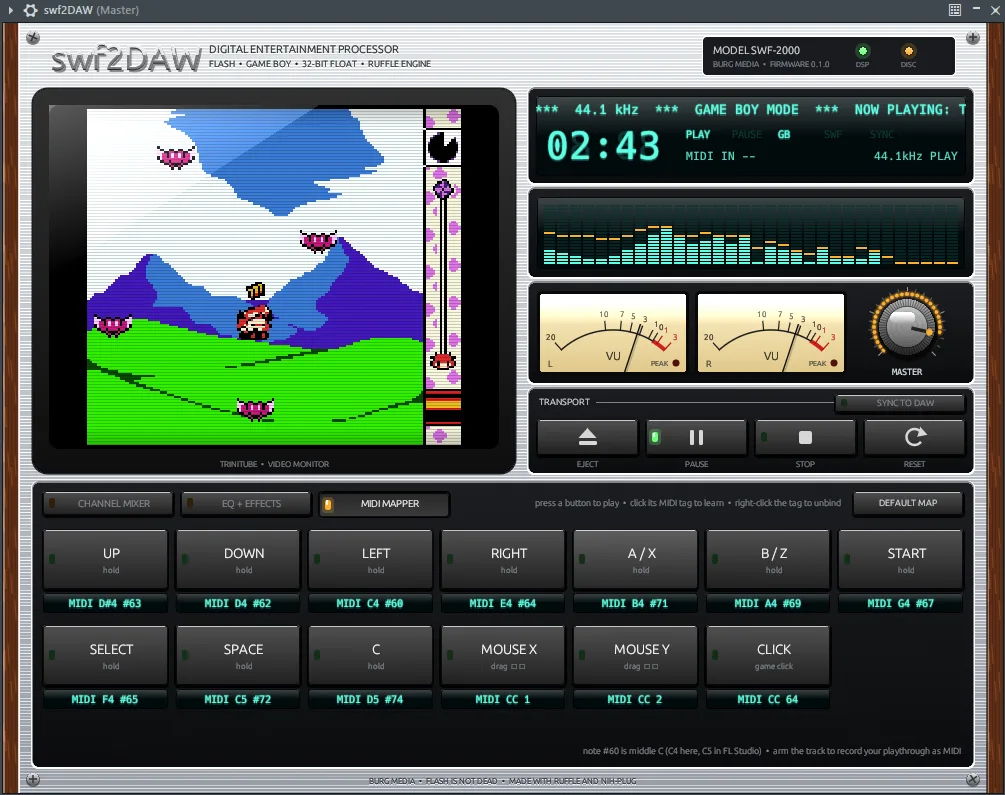
Watch the octave. FL Studio calls middle C "C5", so in FL these notes sit one octave higher than their names here. That is why the MIDI MAPPER tab also shows the number: left is note #60.
Want a different layout? Click the MIDI label under a button and press a key or turn a knob. A right-click clears the link, DEFAULT MAP resets everything. The buttons also work with the mouse: holding one down holds the button in the game.
Every channel on its own mixer track
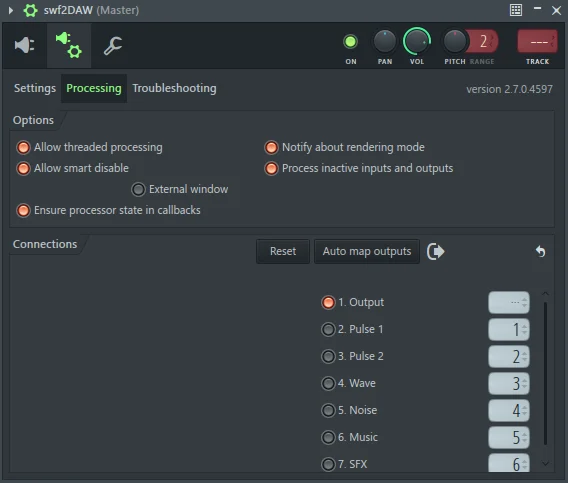
swf2DAW has seven stereo outputs. The first is the mix, through the plugin's EQ and effects. The other six are the channels on their own: Pulse 1, Pulse 2, Wave and Noise (the four sound channels of the Game Boy), Music and SFX.
In FL Studio you route them through the cog at the top left of the plugin window > Processing > Auto map outputs. FL then gives every output its own mixer insert.
Then send either the mix or the separate channels to the master. Do both and you hear everything twice.
In a Flash game, swf2DAW sorts every sound the moment it starts: streams, looping sounds and anything of 8 seconds or longer go to Music, the rest to SFX. A Game Boy game has no such split. It borrows a music channel for a moment to play a sound effect, so a jump sounds on the channel it borrows, often Noise or Pulse 1.
The four Game Boy channels only come out separately for games converted with a gb2swf that supports stems. Older SWFs play their whole mix on Music. The demo game is one of those: in FL Studio only the Music channel gets a signal.
Recording
You record with FL Studio itself, like any instrument. Arm the channel and play. The MIDI you play is recorded too, so you can send a session back into the game later.
Two things to know. The game plays in real time, so an export faster than real time gives you nothing useful: record while it plays. And the same MIDI does not guarantee exactly the same game a second time.
With Sync to DAW switched on, the game only runs while FL's transport is playing. How swf2DAW works under the hood, with Ruffle on its own thread and a resampler for the Game Boy sound, is in the case. We wrote about gb2swf and the wave of game ports earlier.
So you are not recording the sound of a game. You play the game, and FL Studio records what you play.
swf2DAW is free and open source. Get it in the shop.